HealtheLife
- 3.4
- Rating
- 1.00M
- Installs
- Free
- Price

 Analysis by App-foxy
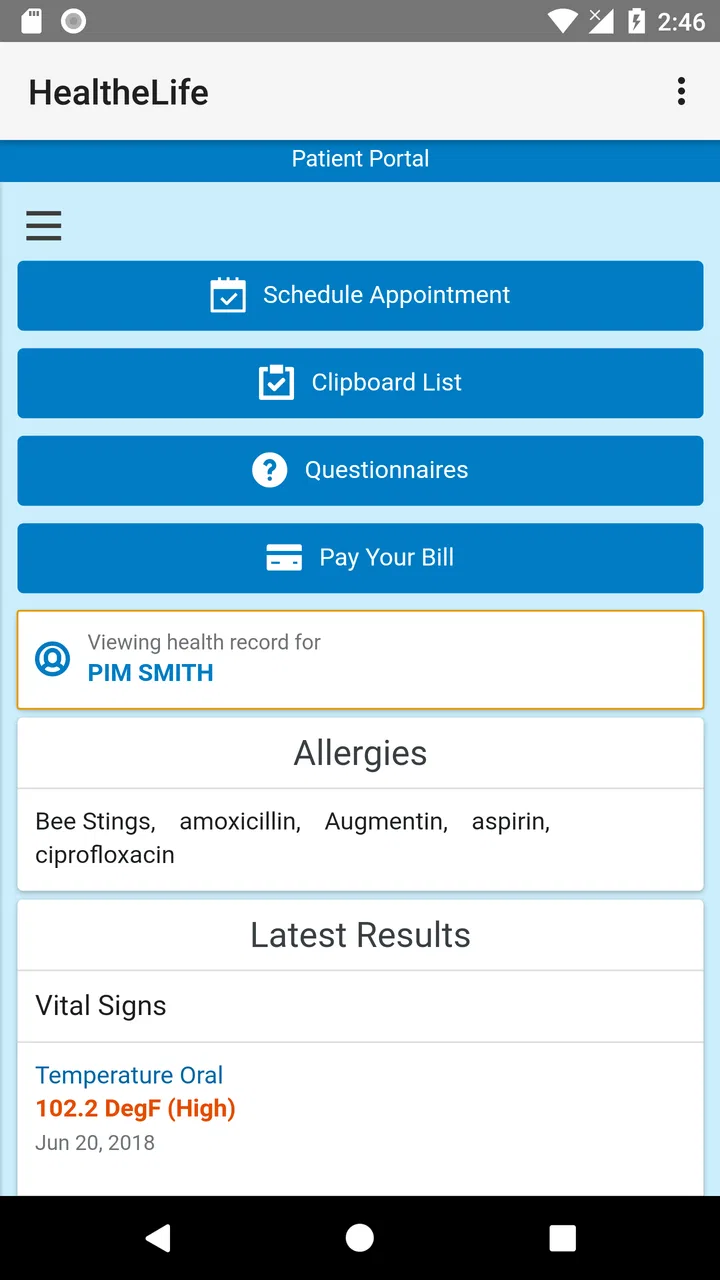
Managing healthcare online sounds simple until appointments, messages, test results, and personal details are spread across different places. HealtheLife is designed to bring that relationship with a healthcare organization into one mobile app. I found its value less in flashy tools and more in the promise of a single, familiar place for routine health administration.
That promise needs a little context. HealtheLife is a free medical app from Cerner Corporation, available for Everyone, and it has been around since October 26, 2015. Its current version is 102.0.31 and it requires Android 9 or later. With over a million installs, an average rating of 3.3 from around 2.6 thousand ratings, and roughly 1.2 thousand written reviews, it is clearly used by a substantial number of people, although the rating also suggests that the experience is not equally smooth for everyone.
What HealtheLife is really useful for
In my experience, the app makes the most sense when your healthcare provider or hospital uses the HealtheLife system. It is not a general-purpose medical encyclopedia, symptom checker, or replacement for speaking with a clinician. Instead, it acts as a patient-facing doorway into online healthcare management.
You May Also Like

 Blood Strike: 2.5 Anniversary
Blood Strike’s Loadouts Turn Every Drop Into a Tactical Gamble
A close look at Blood Strike’s custom loadouts: how fast access to signature weapons reshapes its battle royale rhythm, rewards preparation, and narrows the gap between fights.

 Pandora - Music & Podcasts
Pandora’s Music Is Easy to Start, but Harder to Recover
Pandora’s strength is its low-effort path from a seed to a station. Its weak spot is how much confidence it asks you to place in connection, setup, and quiet recovery.

 8 Ball Pool
 Is Built on Rivalries, Rematches, and Routine
A close look at the rivalries, rematches, shared routines, and unanswered safety questions that turn a quick pool match into a persistent mobile community.

 Samsung Music
’s Quiet Strength Is Playing What You Already Own
Its reach comes less from spectacle than from dependable access to a personal library. That simplicity is both the app’s strongest retention engine and its ceiling.

 AccuWeather: Weather Radar
AccuWeather Review: A Quick, Clear Forecast for Everyday Decisions
For everyday plans, the best forecast is the one you can understand quickly. AccuWeather makes rain timing, radar, and local conditions easy to act on, with a few trade-offs.

 Hill Climb Racing
Why Hill Climb Racing Still Turns Crashes Into One More Run
A tiny car, a bumpy hill and one more upgrade: Hill Climb Racing keeps resurfacing because its simple chaos makes every near-miss feel personal.
More From Our News Desk



That distinction matters before you install it. The app can be worthwhile if your clinic has directed you to use HealtheLife, especially when you want to keep track of ordinary administrative tasks without repeatedly calling the office. If your provider does not support the service, however, the app is unlikely to become useful simply because it is installed on your phone.
A realistic everyday example would be preparing for a follow-up visit. Rather than searching through email or paper notes, I would open the app to review whatever information my healthcare organization has made available, check a message, and make sure I understand the next step before contacting the office. That may sound modest, but reducing small points of confusion is exactly where a patient portal can earn its place.
The experience also depends on how much of the service your organization has enabled. Two people can install the same app and see different options because their healthcare relationships are different. I would therefore judge HealtheLife by whether it connects cleanly to your provider, not by assuming that every user receives the same dashboard.
Trust starts with the account relationship
Health apps deserve a more careful look than ordinary entertainment or shopping apps because the account is tied to sensitive personal information. HealtheLife is built around that relationship with a healthcare organization, so the first practical question is not whether the interface looks modern. It is whether you understand which organization you are connecting to and which account you are using.
I recommend checking the provider name carefully during setup and avoiding casual account sharing. A patient portal is easier to trust when each person uses their own credentials and reviews the screens before confirming anything. That is especially important on a shared phone, where leaving an account open could expose private information even without anyone deliberately trying to access it.
The developer shown for the app is Cerner Corporation, but the healthcare organization connected to your account remains important in daily use. The developer supplies the platform; your provider determines much of the patient-facing content and workflow. If a result, message, or appointment looks wrong, the right place to resolve it may be the clinic rather than the app itself.
I also would not treat the app as an emergency channel. A patient portal is suited to planned communication and routine management, while urgent symptoms require the appropriate emergency or clinical service. Keeping that boundary clear prevents one of the most serious mistakes people can make with any digital health tool: assuming that a convenient screen is monitored like an emergency line.
Controls that deserve a deliberate check
Before relying on the app, I would spend a few minutes exploring the account and notification settings instead of accepting every default without reading. The useful question is not simply whether notifications exist, but what information might appear in a notification preview on a locked screen.
A message alert that reveals only a general prompt is very different from one that displays personal medical content. If the phone is shared, frequently left on a desk, or visible to family members, adjusting notification previews can be a sensible privacy trade-off. You may receive less detail at a glance, but you gain more control over accidental exposure.
The same principle applies to signing out. Staying signed in is convenient when the phone is private and protected. Signing out becomes more sensible when other people regularly use the device, when you are lending it to someone, or when your phone lacks a dependable screen lock. The extra step is minor compared with the consequences of leaving a health account open.
I would also keep the operating system and the app current. HealtheLife requires Android 9 or later, so an older device may not be suitable. Updating is not a guarantee of a perfect experience, but it reduces the chance that an outdated phone becomes the weak point in an otherwise careful setup.
One practical tip is to capture your provider’s support instructions somewhere separate from the app. If you are locked out, changing phones, or dealing with an account mismatch, having the clinic’s normal contact route available saves you from depending on the portal to solve a portal problem.
Where sensitive moments need extra care
Medical information often arrives at inconvenient times: while you are at work, sitting beside family, or using a phone in a public place. That makes the surrounding context just as important as the app’s basic functions. I would avoid opening private messages or results when someone can easily see the screen, and I would be cautious about using public Wi-Fi for account activity.
Another sensitive moment is reviewing information that may be incomplete or difficult to interpret. A portal can present clinical records clearly enough to read, but reading a record is not the same as understanding its meaning. I would use the app to prepare questions for a clinician rather than treating an isolated entry as a diagnosis or final explanation.
This is also where a paper note or a separate personal reminder can still help. If I need to remember a question for an appointment, I would write it down rather than relying on memory after opening the app. A patient portal can centralize information, but it does not automatically organize your thoughts or explain what deserves follow-up.
Messages deserve similar care. Digital communication is convenient, but tone and urgency can be unclear in a short written exchange. For a routine clarification, a portal message may be a good fit. For something rapidly worsening or immediately dangerous, I would choose a direct clinical or emergency route instead.
How much control does the user really have?
The strongest form of user control is knowing what action you are taking before you take it. When using HealtheLife, I would read the recipient, message subject, and any confirmation screen carefully. This is especially useful if the app connects you with more than one healthcare organization or if several family members use devices in the same household.
I would also review old messages and account activity periodically, not because I expect a problem, but because routine checking makes unfamiliar activity easier to notice. If something appears incorrect, contacting the relevant healthcare organization is more productive than repeatedly reinstalling the app. Reinstallation may refresh the software, but it does not correct a record held by the provider.
Changing phones is another situation worth planning for. Before wiping an old device, I would make sure I know the login details and the normal recovery route. I would not assume that deleting the app deletes the healthcare record itself; the app is an access point, while the account relationship is managed through the connected service.
There is also a trade-off between convenience and visibility. Keeping notifications active can help you notice a new communication quickly, while limiting previews protects privacy. Keeping the app ready to open saves time, while signing out on a shared device adds a layer of protection. Neither choice is universally correct, so I prefer the setting that matches how private and controlled my phone environment really is.
HealtheLife compared with ordinary alternatives
Compared with calling a clinic for every small administrative question, a patient portal can reduce waiting and give you a written place to revisit information. Compared with email, it is better suited to a defined healthcare relationship because the conversation is connected to the provider’s system rather than mixed with personal and promotional messages.
It is also different from a general health-tracking app. A tracker may focus on habits, exercise, symptoms, or measurements that you enter yourself. HealtheLife’s role is closer to managing the digital side of care with a participating organization. If your main goal is monitoring daily wellness, another category of app may fit better. If your goal is staying connected to a specific provider, a portal is more relevant.
The trade-off is flexibility. A phone call can sometimes reach a staff member who understands an unusual situation immediately. A general email may be easier for informal communication, even though it is not the ideal place for sensitive medical details. HealtheLife offers structure, but structured systems can feel restrictive when your request does not fit the available workflow.
I would also avoid comparing its 3.3 average rating directly with unrelated medical apps. Ratings reflect many things at once: login problems, provider-specific setup, expectations, and the quality of the connected healthcare service. The rating is a reasonable signal to approach the app with patience, not proof that it is unusable.
Who should use it, and who should skip it?
I would recommend trying HealtheLife if your clinic or hospital specifically uses it and has given you instructions for connecting your account. It is particularly sensible for people who want a central place for routine healthcare communication and who are comfortable checking privacy settings on their phone.
It may also help caregivers who assist another person with appointments or messages, but I would be careful about shared access. Convenience should not quietly replace the patient’s control over private information. Use the account arrangement and permissions established by the healthcare organization, and avoid passing around one person’s login as a casual household solution.
I would skip it, or at least delay relying on it, if you expect a universal medical assistant, instant diagnosis, emergency monitoring, or a complete personal health record independent of your provider. That is not the role I would assign to this app. I would also look for another option if your healthcare organization does not support the service or if your device cannot run Android 9 or later.
People who dislike account recovery steps may find the setup frustrating, particularly when the provider’s enrollment process is unclear. In that situation, the best first move is to ask the clinic for precise enrollment help rather than blaming the app for every obstacle. The platform and the provider experience are closely connected.
My cautious verdict
HealtheLife is a practical medical app when it matches the healthcare organization you already use. I see its main strength in giving routine patient administration a dedicated channel instead of forcing everything through phone calls, scattered emails, or paper reminders. Its value is functional and personal: the right connection can make ordinary follow-up easier, while the wrong connection can make the app feel pointless.
I like the idea of using it as a controlled doorway rather than treating it as an all-purpose health authority. Check the provider connection, protect the account, limit notification previews when privacy matters, and keep emergency decisions outside the portal. Those habits make the experience safer and more predictable.
The free price and Everyone age rating remove two common barriers, and its long availability suggests that it is an established patient-portal option. Still, the modest average rating is a reminder to keep expectations realistic. Your experience may depend heavily on the healthcare organization behind the account, the clarity of its enrollment process, and how well your phone handles the current version.
My final recommendation is simple: if your provider tells you to use HealtheLife, it is worth installing and testing with a privacy-first setup. If you are searching for a standalone wellness tracker or medical advice app, I would choose something designed for that purpose instead. Use HealtheLife for organized access to your healthcare relationship, not as a substitute for professional care.
FAQs for HealtheLife
01What is HealtheLife and how does it benefit me?
HealtheLife is a comprehensive health management app that integrates with your healthcare provider’s system to give you access to your medical records, appointment scheduling, and health tracking. It enhances your ability to manage your health by providing real-time updates, medication reminders, and direct communication with healthcare professionals.
02Is my personal health information safe with HealtheLife?
Yes, HealtheLife prioritizes your privacy and security by using advanced encryption standards to protect your personal health information. The app complies with healthcare regulations such as HIPAA, ensuring that your data is securely stored and only accessible to authorized users.
03Can I use HealtheLife if my healthcare provider is not partnered with the app?
HealtheLife works best when your healthcare provider is integrated with the app. However, you can still use some features like health tracking and personal wellness goals. To fully utilize all functionalities, check if your provider is listed on the app or encourage them to join the platform.
04What devices are compatible with HealtheLife?
HealtheLife is available for both Android and iOS devices. It supports a wide range of smartphones and tablets running recent operating system versions. Ensure your device meets the minimum requirements specified in the app store to experience seamless functionality.
05How do I troubleshoot issues or get support for HealtheLife?
If you encounter any issues with HealtheLife, you can access the support section within the app for troubleshooting guides and FAQs. Additionally, you can contact their customer support via email or phone, available on their official website, for personalized assistance.
Pros
- User-friendly interface for easy navigation.
- Comprehensive health record access on-the-go.
- Secure login to protect personal health data.
- Integration with multiple healthcare providers.
- Customizable notifications for appointments.
Cons
- Limited offline functionality reduces access.
- Initial setup can be somewhat time-consuming.
- Not all providers may be integrated yet.
- Some users report occasional app crashes.
- Requires consistent updates for best use.

HealtheLife
Gallery